



Why use Inspired Pulse?


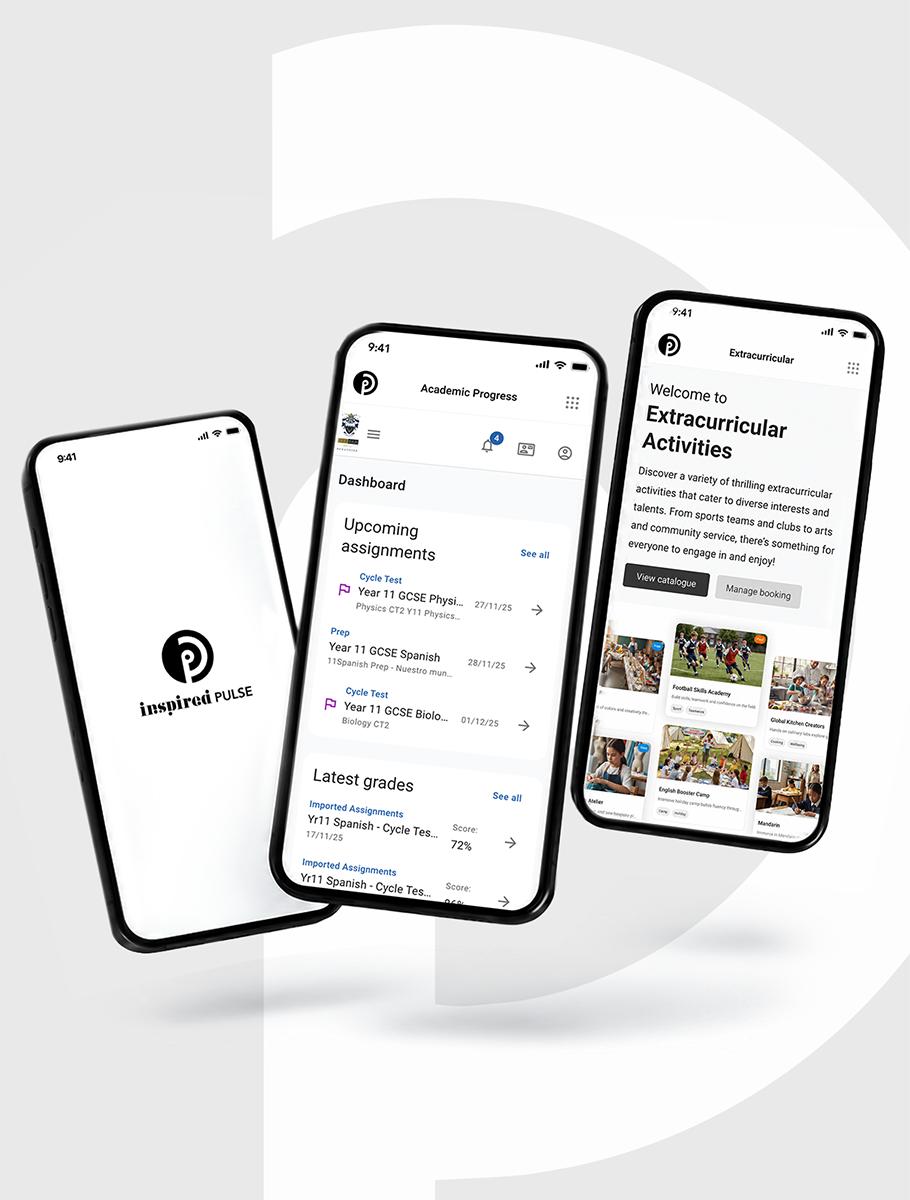
 Inspired Pulse makes it easy to stay connected to your child's education, wherever you are. From academic progress and assignments to school updates and extracurricular activities, everything you need is available in one secure, easy-to-use app.

Designed to keep you connected
 

Designed to keep you connected


From academic progress to school updates, Inspired Pulse puts everything you need within easy reach. 

With Inspired Pulse, you can:

  • Track assignments & homework
    • Keep an eye on upcoming tasks, homework, and deadlines for each child so you can help them stay ahead.
  • Academic progress
    • View real-time academic results, track progress, and read direct teacher feedback as soon as it’s released.
  • School notices & updates
    • Receive important school updates, notices, and classroom announcements straight to your phone.
  • Extracurricular & Enrichment updates
    • Easily check schedules and stay up to date on your child’s extracurricular activities and enrichment programmes.
  • Invoices & fee management
    • Review the latest school fees, check account statements, and view invoices in a single location.
  • Seamless multi-child & multi-school switching
    • Switch between student profiles and schools without logging out.

*Note: Features and service availability may vary depending on your specific school. 

Ready to get started?


Access everything you need to stay connected to your child's school in three simple steps:

1

Download the App

Download the app using the links on this page to install on your iOS or Android device.

App_Store_image
Google_play_image_

2

Log in securely

Select your Inspired school from the list and sign in using your existing Parent Portal login credentials.


3

Customise your feed

Set up your notification preferences to receive the updates that matter most to you.


FAQs

The app is available for parents, guardians, and enrolled students across participating Inspired Education Group schools. 

Once you have downloaded the app, select your Inspired school from the list of available schools and log in using your Parent Portal login credentials.

You can easily switch between different schools and student profiles directly within the app without needing to log in and out. 

We are continuously rolling out Pulse to schools across the network. Your school will notify you directly as soon as the Pulse Parent app goes live for your campus. 
 

Ensure you are using the latest version of the app. If you're still unable to log in or experiencing technical issues, please contact your school's administration team for assistance.